ATS Formatting
The Resume Format an ATS Can Actually Read
Two resumes with the same experience can get very different results, and the layout is usually why. Here is the format an applicant tracking system parses cleanly, the one that breaks it, and how to tell which one you have.
Key Takeaways
The ATS-safe resume format is a single-column, reverse-chronological layout with standard headings, real text, and a text-based PDF or DOCX file.
Keep your name, email and phone in the body of the document. The version I tested with contact details in the Word header came back with no email, no phone, no LinkedIn and no name, while the rest of the resume read fine.
Two columns are the usual culprit, but not always. A two-column Word file built as a table came back scrambled in my test while the same layout saved as a PDF read perfectly, so what matters is how the file stores the columns.
A bad format does not get you auto-rejected. None of the six files I ran was refused. They were misread instead, which sinks you quietly in the ranking rather than loudly at the door.
Never trust a format on looks alone. Run your file through a free parser and read the exact text an ATS pulls from it.
- Resumes Analyzed
- 50K+
- Average ATS Score Increase
- 25%
- ATS Checks Per Full Report
- 30+
- From Upload to ATS Score
- <60s
What Is the Best Resume Format for an ATS?
A single-column, reverse-chronological layout in a text-based file. That is the whole answer, and it holds across every major applicant tracking system. One column keeps the parser reading in order. Reverse-chronological hands it a clean dated work history. Standard headings map each section to the right field. A text-based PDF or DOCX keeps every word as real text it can pull. If you are stuck on which of those two to send, our guide to PDF or Word for ATS settles it by situation.
Format matters more than most people expect because of how the software works. When you apply, the ATS does not read your resume like a person. It strips the file to text and sorts that text into fields: name, email, job titles, companies, dates, skills. A layout it can follow fills those fields correctly. A layout it can't turns your resume into a jumble the recruiter never searches up.
None of this is about design taste. A clean single column can still look sharp, and it is the one shape whose reading order you can count on.
A Layout That Parses vs One That Breaks
Below is real output, not an illustration. Both panels are the same resume with the same words, saved two ways, run through this site's own parser on 24 September 2026.
Each panel is trimmed to the lines that show the difference, in the order they came back. The contact lines at the top and a few later lines are left out for length.
The two-column version was built the way most two-column templates are built, as a Word table. Watch where the skills go.
Two-column Word file, what came back
SKILLS
Inventory Planning
SAP
Excel
WORK EXPERIENCE
Operations Manager
Northline Fulfillment, Chicago, IL
Mar 2021 - Present
Lean Six Sigma
Warehouse Management
Demand Forecasting
Managed a 64-person team across two
shifts and cut the order-error rate
from 2.4 percent to 0.6 percent in 14
months.
CERTIFICATIONS
APICS CPIM, 2020
Warehouse Supervisor
The sidebar landed inside the job entry. Three skills and a certifications block now sit between the Operations Manager role and the work done in it.
Nothing was deleted. Every word survived, in an order that no longer means what was written.
Single-column Word file, what came back
WORK EXPERIENCE
Operations Manager
Northline Fulfillment, Chicago, IL
Mar 2021 - Present
Managed a 64-person team across two
shifts and cut the order-error rate
from 2.4 percent to 0.6 percent in 14
months.
Warehouse Supervisor
Cortez Logistics, Joliet, IL
Jun 2018 - Feb 2021
EDUCATION
BS Supply Chain Management
SKILLS
Inventory Planning
SAP
Excel
Same words, in the order they were written. Title, employer and dates stay together, so a recruiter searching for an operations manager who used SAP still gets a match.
Here is the part that surprised me. I saved the same two-column layout as a PDF and it came back perfectly in order, no scramble at all.
So the rule everyone repeats, that two columns break parsing, is too blunt. What matters is how the file stores those columns, and that is invisible on screen.
Built as a table, it gets read cell by cell. Exported to PDF, the same design may come through clean.
Which is the argument for not guessing about yours. Run the actual file through our free ATS resume parser and read what comes back, in order.
How I Tested the Formats on This Page
I wrote one resume for a fictional operations manager and saved it six ways. Same words every time, only the layout and the file changed.
Then I ran all six through the parser that powers this site and wrote down what came back: which contact fields it found, which headings it recognized, and the order of the text.
| Version tested | Contact fields found | Reading order |
|---|---|---|
| Single column, PDF | 3 of 3 | Correct, top to bottom |
| Two column, PDF | 3 of 3 | Correct, top to bottom. No scramble |
| Single column, Word | 3 of 3 | Correct, top to bottom |
| Two column, Word, one-row table | 3 of 3 | Whole skills column jumped ahead of the work history |
| Two column, Word, multi-row table | 3 of 3 | Sidebar spliced into the job entries |
| Contact details in the Word header | 0 of 3 | Body correct. Name, email, phone and LinkedIn all missing |
Two results are worth sitting with. The contact block moved into the Word header vanished completely: no name, no email, no phone, no LinkedIn, while the rest of the resume read back fine.
That is the worst outcome on the list and the easiest to cause by accident. A resume that parses beautifully is worth nothing if the parser cannot find a way to contact you.
The second: not one of the six files failed outright. Every version produced readable text, and the damage was always ordering or a missing field rather than a rejection.
What this test does not prove
I ran these files through our parser, not through Workday, Taleo, Greenhouse, iCIMS, or Lever. I do not have accounts on those systems and I am not going to claim results I did not get.
Every ATS extracts text a little differently, so treat the rows above as one parser's reading. The pattern is the useful part: file structure decides reading order, and reading order decides whether your record makes sense.
It is also why the advice here stays conservative. A single column with contact details in the body was the one shape that came back clean in every version I ran.
The ATS Resume Format Checklist
Every formatting decision on a resume falls on one side of a line: the parser can read it, or it can't. Here is the full map, element by element.
| Element | ATS-safe | Risky |
|---|---|---|
| Layout | One column, sections stacked top to bottom | Two columns, sidebars, text boxes |
| Structure | Reverse-chronological, newest job first | Functional or skills-only, with no dated history |
| Headings | Work Experience, Education, Skills, Summary | Creative labels like My Journey or Toolbox |
| Contact details | In the body, as plain text on their own lines | Inside the document header or footer |
| Dates | Consistent month and year on every role | Mixed formats, or years only with gaps |
| Text | Real, selectable text in a web-safe font | Text baked into an image, icons, or logos |
| Fonts | Arial, Calibri, Georgia at 10 to 12 points | Decorative or condensed fonts, tiny sizes |
| File | Text-based PDF or DOCX | Scanned image, unusual format, locked file |
Work down the risky column and fix anything that matches your resume. Tables and graphics are the two most damaging entries there, and the no-tables-or-graphics breakdown shows exactly what each one does to the parse. For the layout and heading side of this in plain terms, the guide to what makes a resume ATS-friendly walks through each criterion. To see where format sits against every other fix, ranked by impact, read the ATS resume best practices for 2026.
Chronological, Functional, or Combination?
Pick reverse-chronological, or a combination that keeps a dated timeline. The format type is not just a style choice for an ATS. It decides whether the parser finds a work history at all.
Reverse-chronological
Safe. Use this.Your newest role first, each job dated, in order. It gives the parser the exact structure it expects, and it is what recruiters are used to reading. This is the default for a reason.
Combination
Safe if dated.A short skills summary up top, then a full dated work history below. Good for a career change or a gap, as long as every role still carries dates in order. The timeline has to survive.
Functional
Avoid.Skills grouped with no dated roles behind them. A parser reads this as an empty experience section, and a recruiter reads it as hiding something. It costs you on both sides.
ATS-Safe Templates
Single-Column Templates That Already Get This Right
Every template here keeps your content in one column, under standard headings, in real text an ATS can read. Start from one and the format rules on this page are already handled.
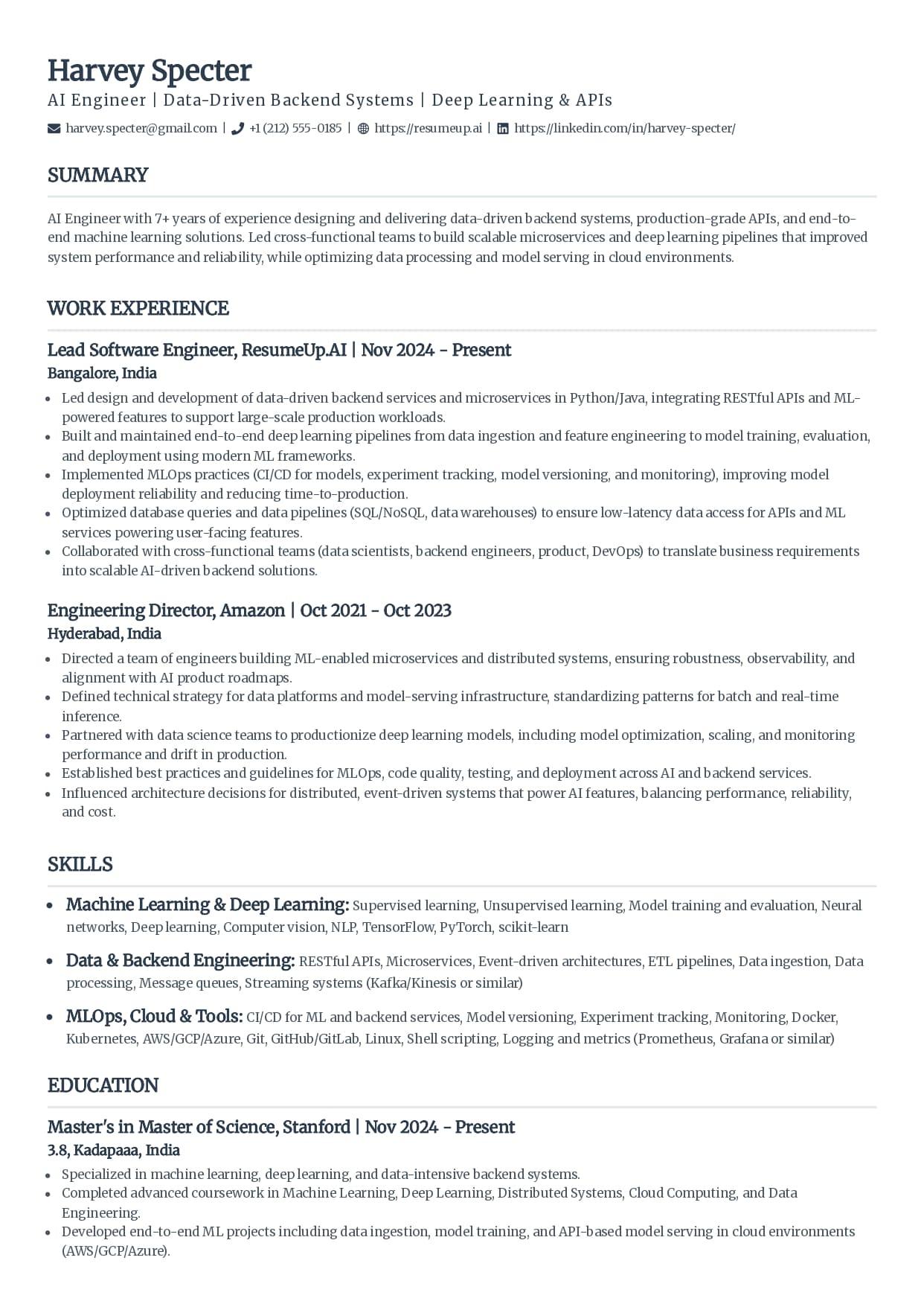
Classic
The single-column standard recruiters see every day.
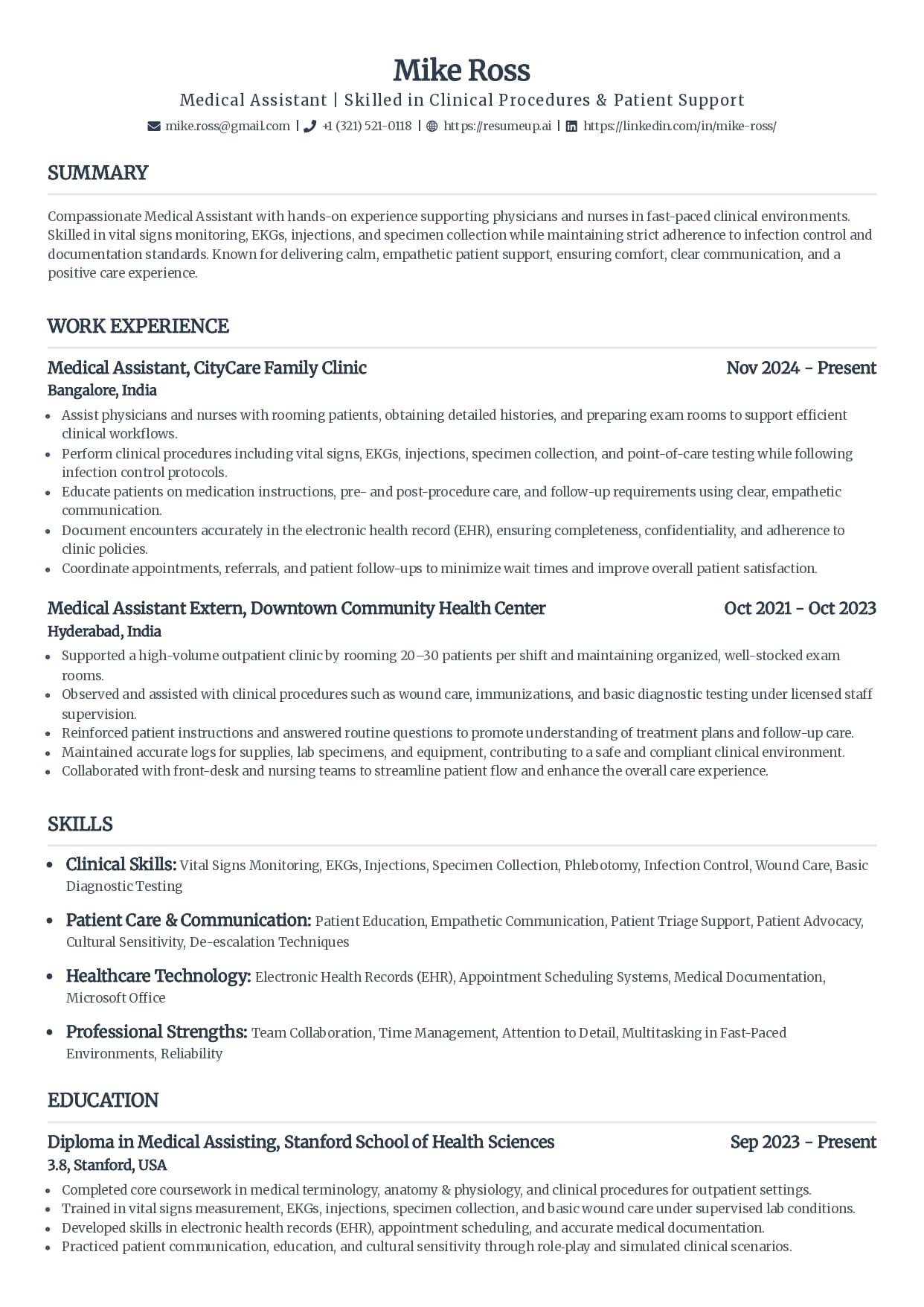
Standard
Clean serif headings with clear section rules.
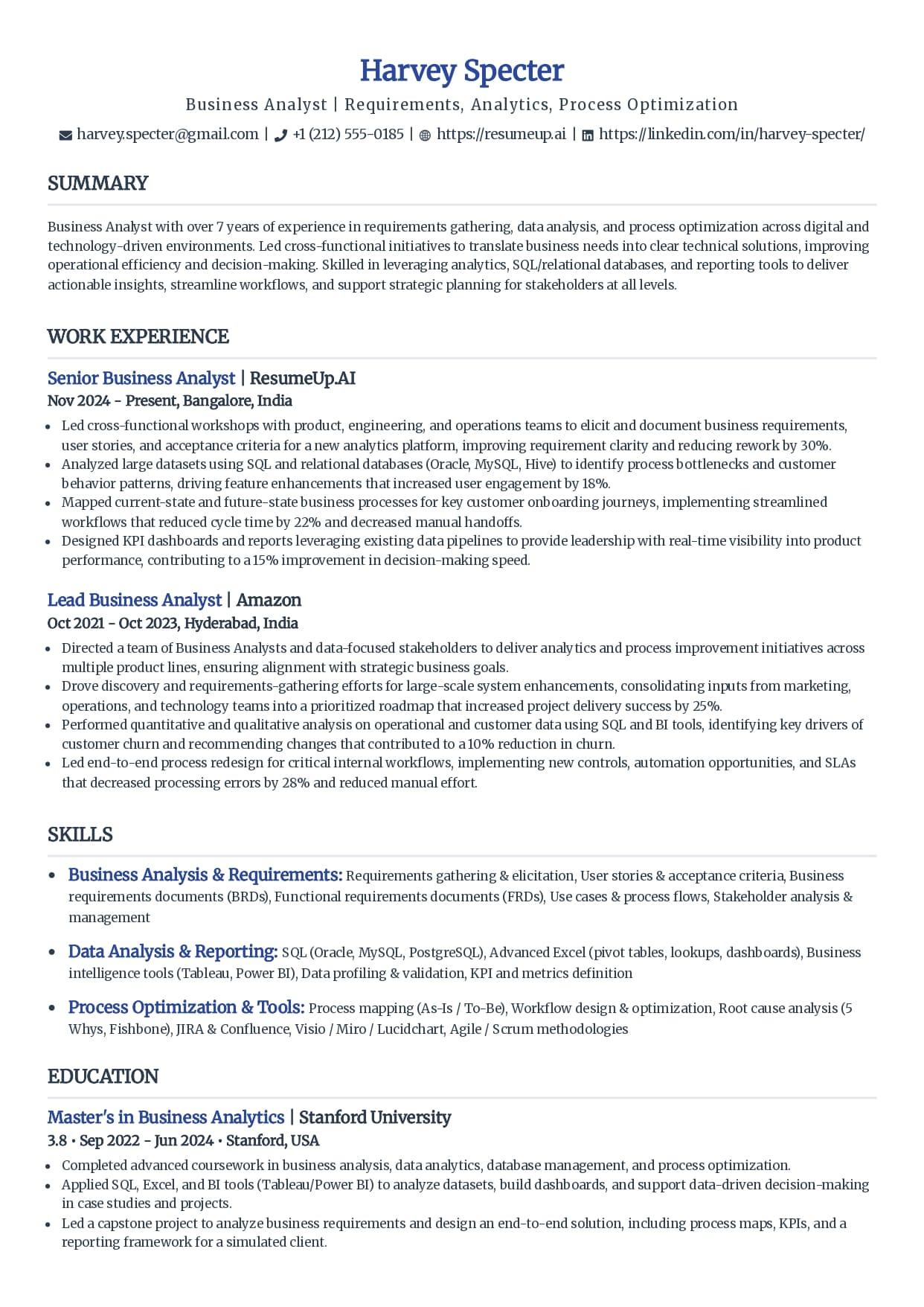
Simple
Minimal styling that keeps every line readable.
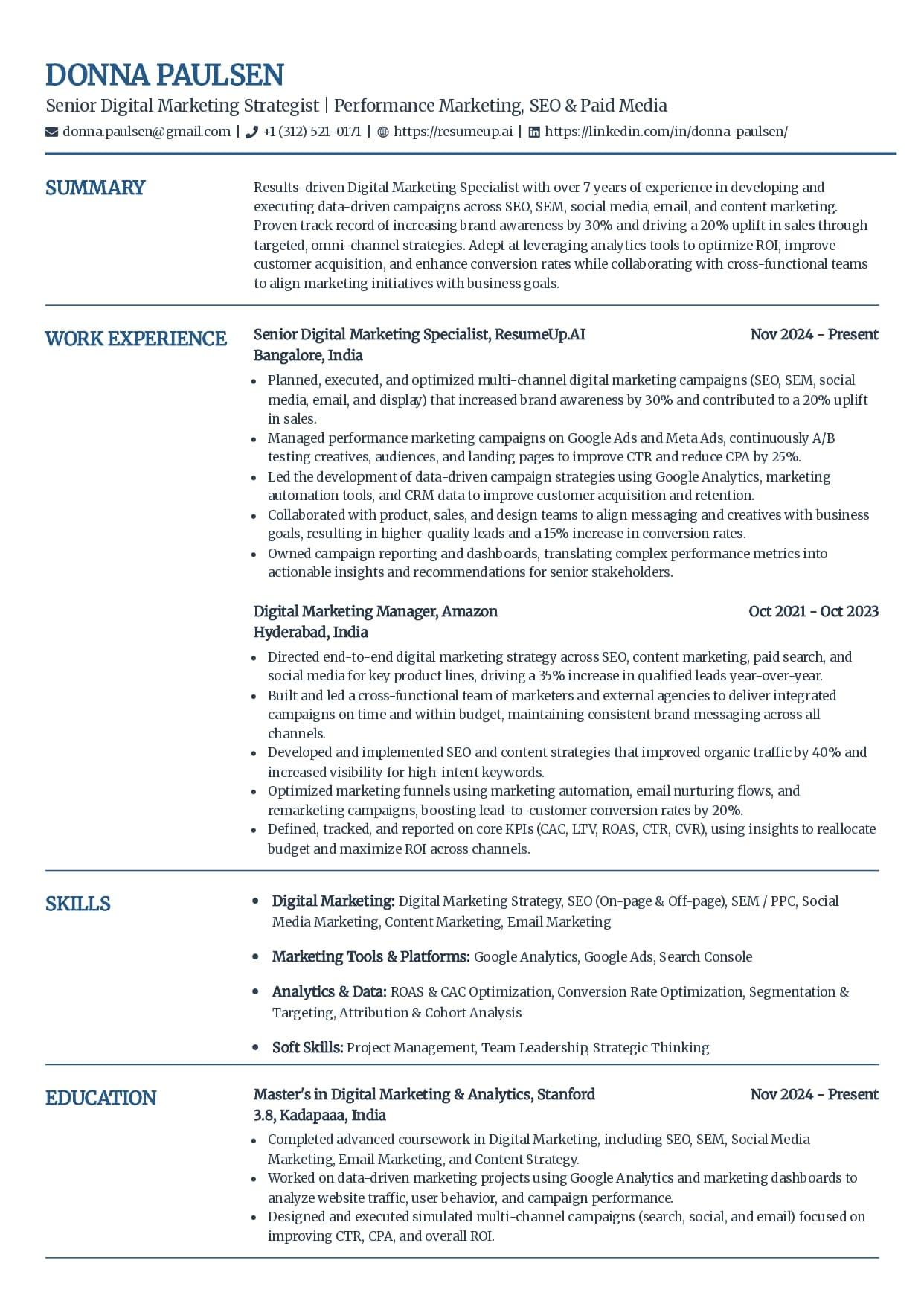
Craft
A subtle touch of color without breaking parsing.
See why these templates parse cleanly
Free ATS-friendly templates are included. Whichever you pick, your resume exports as a text-based PDF or DOCX that parses cleanly, and you can confirm it with the free checker before you apply.
How to Format Every Section
The layout is the big call. These are the smaller ones that decide whether each field comes through clean. For the full block-by-block breakdown, including the section order and the exact font and margin settings, see the guide to the ATS-friendly resume format.
Contact details
Name, phone, email, city, and a LinkedIn URL on their own lines at the top of the body. Never in the document header or footer. When I moved the contact block into a Word header and re-ran the file, the parser found none of the three contact fields it looks for, the name was gone from the extracted text too, and the rest of the resume read back clean.
Section headings
Use the names the parser knows: Summary, Work Experience, Education, Skills, Certifications. One heading per section, left-aligned, in the same style throughout.
Work experience
Job title, company, and location on the top line, dates in month-and-year format on every role. Bullets under each, one accomplishment per line with a number where you have one.
Dates
Keep one format across the whole page, like Mar 2021 to Present. Consistent dates let the ATS build your timeline without reading a gap that is not there.
Skills
A plain list grouped under short labels, in real text. No skill bars, star ratings, or percentages, which are graphics the parser drops and a recruiter distrusts.
Tables
Convert every table to plain stacked lines before you apply. A table is read cell by cell, so a two-column one interleaves its columns, which is exactly the failure at the top of this page. In Word, select the table and use Convert to Text.
Fonts and spacing
A web-safe font at 10 to 12 points, headings at 14 to 16, and real white space between sections. Skip underlined lines, tight condensed fonts, and anything below 10 points.
PDF or Word for an ATS?
Both work in modern systems, as long as the file is real text and not a scanned image. DOCX is the safest default for older software, and a text-based PDF is fine almost everywhere else. The debate matters less than people think, and one rule settles it: if the posting names a format, send that one.
My test shifted me slightly toward Word. The DOCX files kept their line breaks every time, because the paragraph structure is stored in the file itself.
A PDF carries no such structure. Its text order depends on how the program that made it happened to write the page.
Word also tends to do better on forms that auto-fill your work history from the file you upload. Given the choice and no instruction, send the DOCX.
The failure that actually costs people is not PDF versus Word. It is sending a file where the text is not real text, like a resume exported as an image or a scan. A parser reads nothing from a picture of words. You can tell in two seconds: open the file and try to select the text with your cursor. If it highlights, a parser can read it. If it does not, no file type will save it.
I go deeper on this call, and how it changes for the strictest systems, in the guide on what an ATS really does with your resume.
Why Trust This
Written From the Hiring Side
I have searched a pile of applicants inside an applicant tracking system and watched strong candidates sit low in the ranking because a two-column layout read back as gibberish. Not because they were unqualified, because the format lost half their resume before I ever searched. I now build the tools that show job seekers what that software sees, so they can catch it first.
Who wrote this
Rohith Reddy Jarugu, builder of ats resume checker. Ten years in software hiring, 500+ interviews conducted, now building career tools full time. LinkedIn
Fix the Format, Then Prove It
A format looks right until the parser reads it. Check yours the way the software will, before you apply. All free, no signup.
ATS Resume Parser
FreeUpload your file and see the exact fields and text an ATS extracts. The fastest way to catch a section that reads back scrambled.
Preview my parseATS Resume Checker
FreeGet a 0-100 score and a 30+ check report in under 60 seconds, covering parsing, sections, and content, so you know what to fix.
Check my resumeATS Resume Templates
FreeSingle-column by design, with the format rules from this page already handled, so the two-column parsing trap never happens to yours.
Browse templatesResume Keyword Scanner
FreePaste a job posting and see your keyword match rate. Once the format parses clean, this is the half of the ranking you control.
Scan against a jobFree ATS Resume Checker
See How Your Format Parses
Upload your resume and read the exact text a parser pulls from it, then get a 0-100 score and the 30+ check report behind it. Free, no signup, under 60 seconds.
ATS Resume Format: FAQs
The questions people ask once a clean-looking resume still gets no replies. Still stuck? Contact us and we'll help.
What is the best resume format for an ATS?
A single-column, reverse-chronological layout in a text-based file. One column keeps the parser reading top to bottom in order, reverse-chronological gives it a clean dated work history, standard headings map each section to a field, and a text-based PDF or DOCX means every word is real, selectable text. That combination parses cleanly in every major ATS.
Is a one-column or two-column resume better for an ATS?
One column, because it is the only one that is reliably safe. Testing six versions of one resume through our parser, a two-column Word file built as a table came back with the skills sidebar spliced into the job entries, while the same two-column design saved as a PDF read back in perfect order. You cannot tell which case you have by looking at it, so a single column removes the gamble.
Should an ATS resume be chronological or functional?
Chronological, or a combination that keeps a dated timeline. A functional resume hides your work history behind a block of skills, and the parser reads that as a missing or empty experience section. If you are covering a gap or a career change, use a combination format: lead with a short skills summary, then still list each role with dates in reverse-chronological order.
Is a PDF or Word document better for an ATS?
Both parse well in modern systems as long as the file is real text, not a scanned image. DOCX is the safest default for older systems, and a text-based PDF is fine for most. The rule that ends the debate: if the job posting names a file type, send that one, and always test the finished file before you apply.
What font size and style should an ATS resume use?
A web-safe font at 10 to 12 points for body text and 14 to 16 for headings. Arial, Calibri, Helvetica, Georgia, Garamond, and Times New Roman all read reliably. Avoid decorative or heavily condensed fonts, sizes below 10 points, and underlining full lines, which can clip the tails of letters like g, j, and y.
Does a bad resume format get you auto-rejected?
Almost never directly. Running six deliberately different versions of one resume through our parser, not one was refused: every file produced readable text, and the damage was always scrambled ordering or a missing contact field. That is the quieter cost, because a misread record ranks low and never surfaces when the recruiter searches, so you are not rejected, you are unseen.
How do I check my resume format for an ATS?
Read it the way the software does. Upload the finished file to a free ATS parser and look at what comes back: the contact fields it found, the headings it recognized, and your text in reading order. If a section returns empty or scrambled there, it will read that way inside a real ATS, and you can fix the layout before a recruiter ever sees it.
Keep Reading
What Is an ATS?
An applicant tracking system parses, stores, and ranks resumes for recruiters. What it really does with yours, whether it auto-rejects you, and what it can't do.
Read the guideWhat Is an ATS-Friendly Resume?
The five criteria that make a resume ATS-friendly, why a clean format does not guarantee a pass, and two quick tests to check your own file before you apply.
Read the guide