ATS-Compliant Templates
An ATS-Compliant Template, and the Checklist to Prove It
A compliant template is one a parser reads cleanly, and you can verify that in eight checks. Start from a single-column layout below, then run the list against the file you actually send.
Key Takeaways
An ATS-compliant resume template is a single-column layout with standard headings and real selectable text, and nothing else. Eight concrete checks define it.
Compliance is a property of the finished file, not the download. A template can start compliant and lose it the moment you add a sidebar or a photo.
A compliant template removes the parsing penalty. It does not guarantee a pass. An ATS ranks and filters; it rarely auto-rejects on format alone.
The only proof is the file you send. Run it through the free checker and fix what the report flags before you apply.
- Resumes Analyzed
- 50K+
- Average ATS Score Increase
- 25%
- ATS Checks Per Full Report
- 30+
- From Upload to ATS Score
- <60s
What Is an ATS-Compliant Resume Template?
It is a template built so applicant tracking software can read every line, sort it into the right fields, and rank it. In practice that means one column, standard headings, and real text, with no photos, tables, or graphics that a parser trips on.
The word compliant does a lot of quiet work on download pages. Any site can print it. What it should mean is measurable, so this page gives you the eight checks that decide it and the templates that already pass them.
Pick a layout from the gallery, then run the checklist against your finished file. If you want the full build-to-submit version, the ATS resume checklist covers keywords and export too.
ATS-Compliant Templates
Templates That Already Pass the Checklist
Each of these is single-column, standard-headed, and built from real text, so it clears every compliance check before you type a word. It parses in Workday, Greenhouse, Lever, Taleo, and iCIMS without scrambling a line. Pick by look, because they all comply the same.
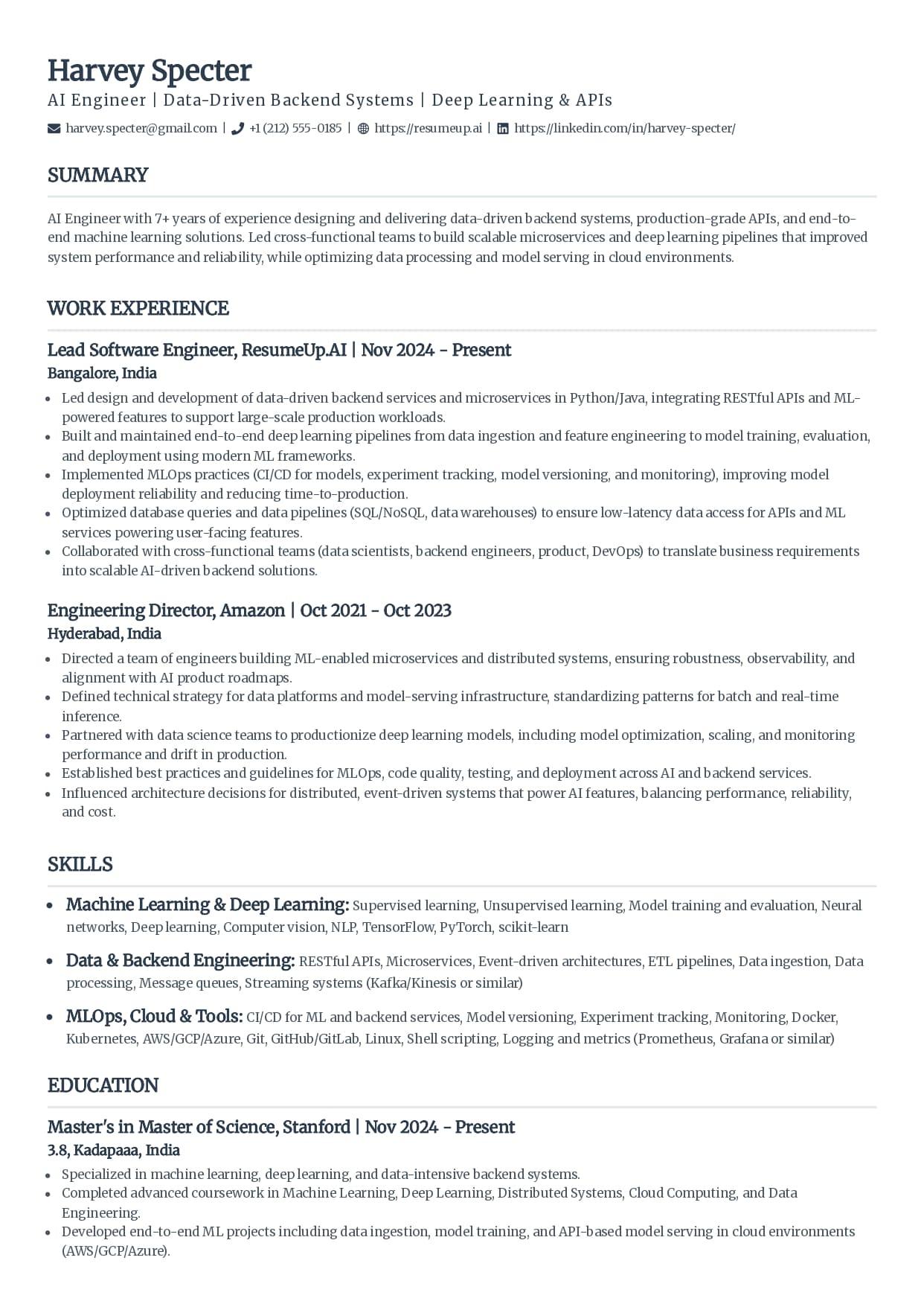
Classic
The single-column standard recruiters see every day.
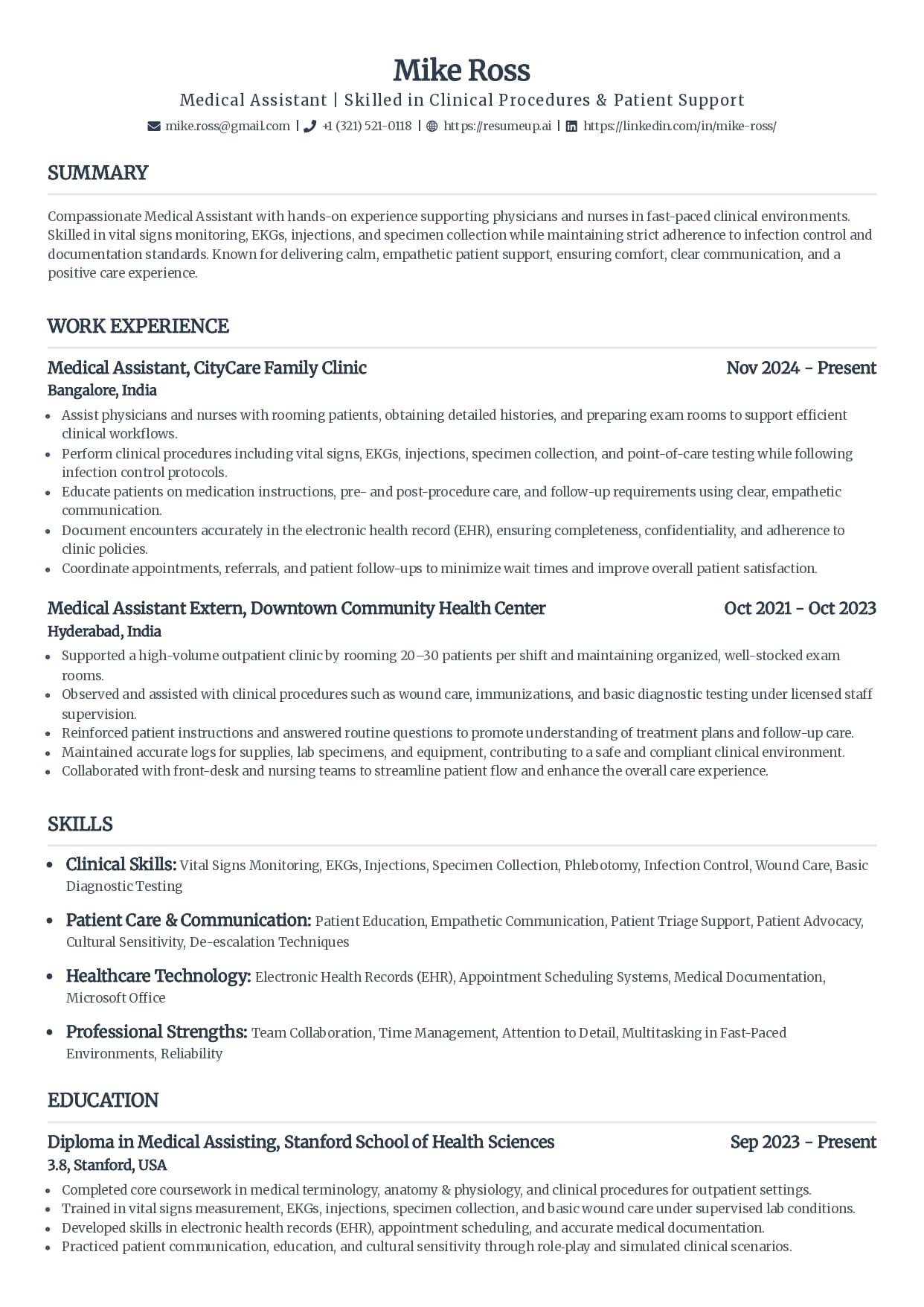
Standard
Clean serif headings with clear section rules.
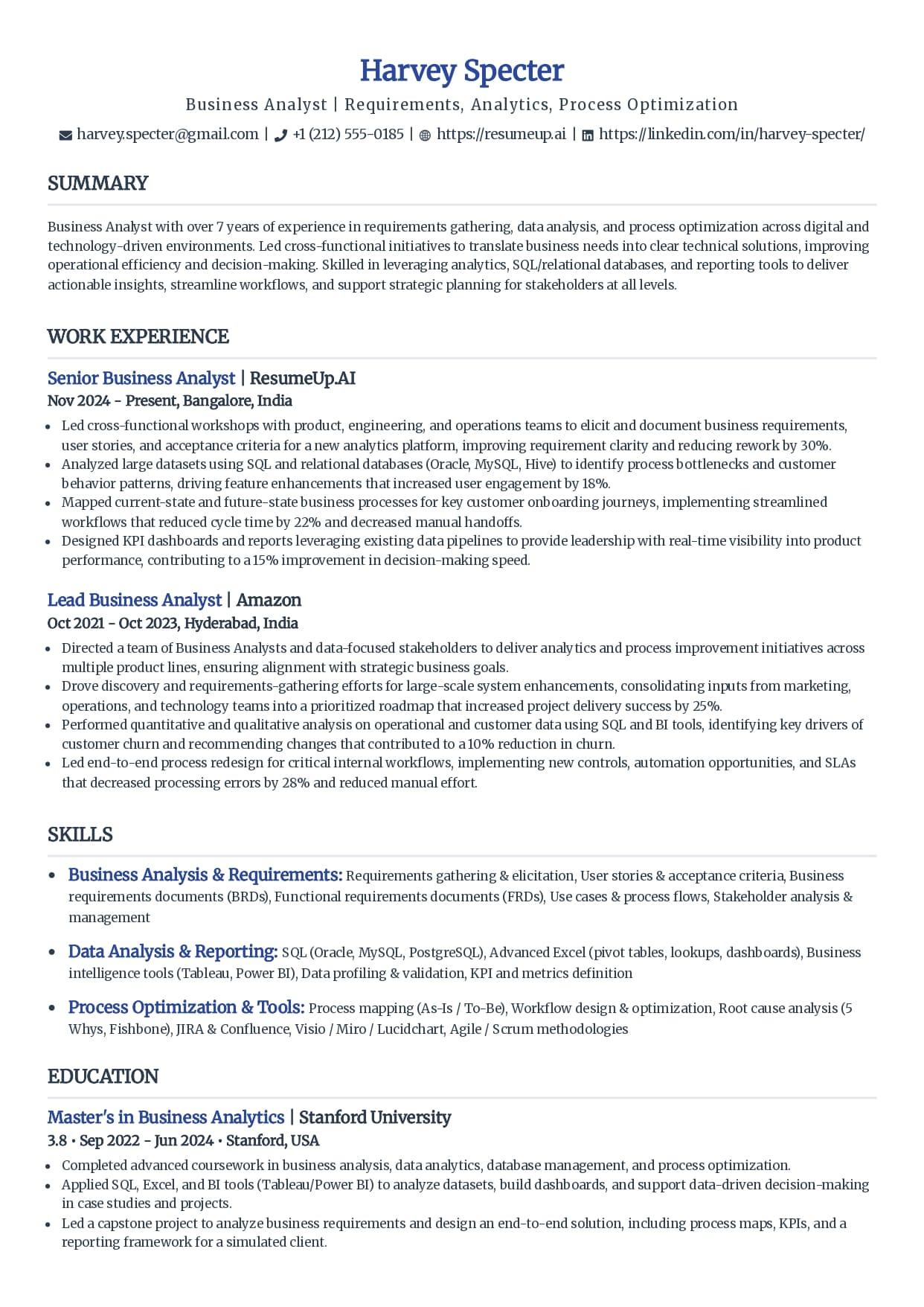
Simple
Minimal styling that keeps every line readable.
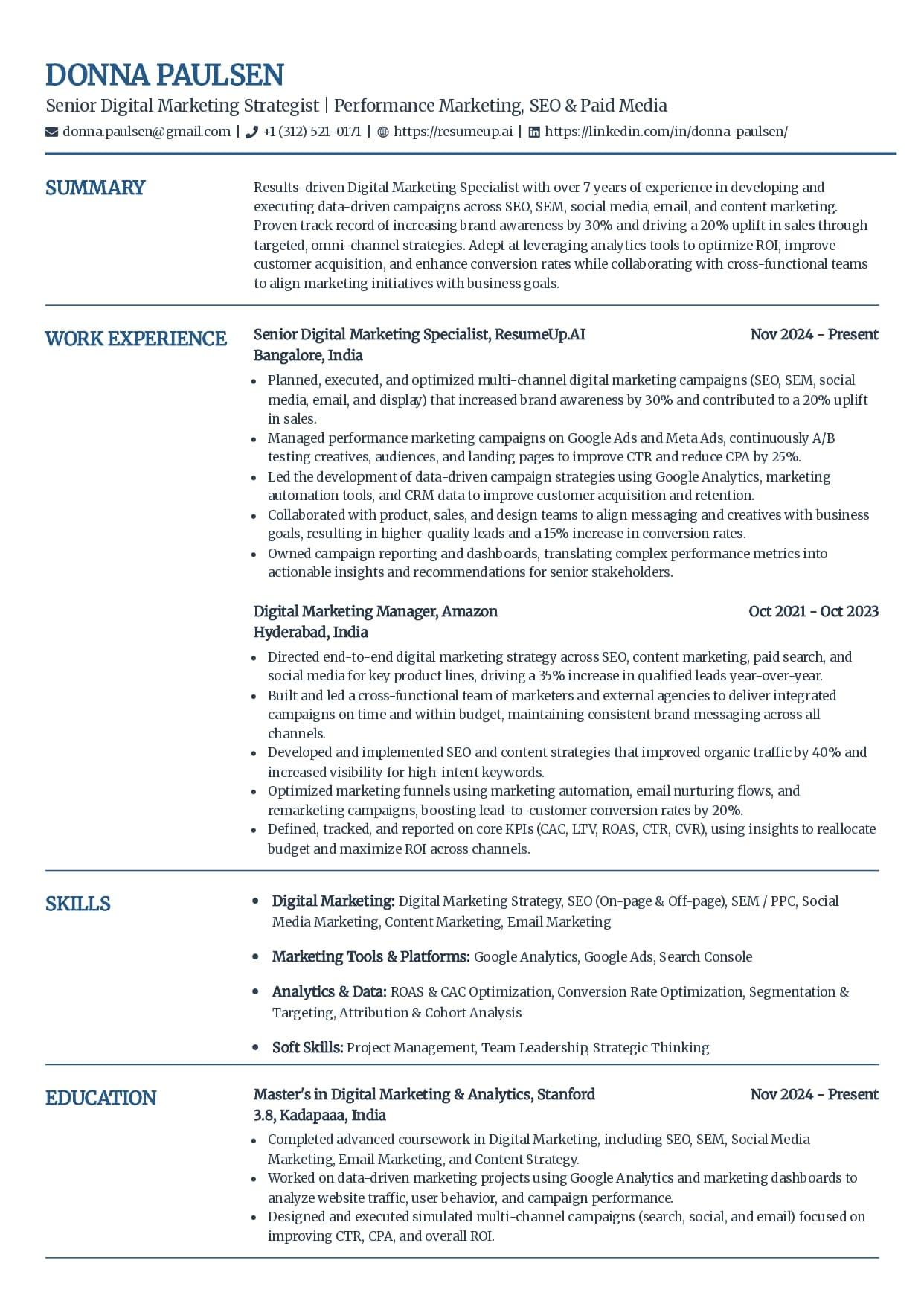
Craft
A subtle touch of color without breaking parsing.
See why these templates parse cleanly
These layouts are free to use and export as a text-based PDF or DOCX, with no fee at download. The AI writing help and premium templates come with the builder plans; using and exporting these compliant layouts costs nothing.
The ATS Compliance Checklist
Eight checks that separate a compliant template from a pretty one. Hold any template against them, the ones here or something you downloaded elsewhere. If it misses even the first, it is not compliant, whatever the label says.
One column, top to bottom
Sections stack vertically with no sidebar. A second visible column is the single most common reason a template fails a parse.
Standard section headings
Work Experience, Education, Skills, Summary, Certifications. These are the labels the software maps to fields. A creative rename breaks the mapping.
Every word is real, selectable text
Drag to select the whole page. If a heading, your name, or a section will not highlight, it is a graphic the parser cannot read.
No photo or headshot
A photo is an image, and a parser reads nothing from one. Standard US, UK, and Canada resumes carry no photo at all.
No tables or text boxes for content
Content laid out in a grid or a box can read back scrambled or drop out entirely. Keep it flowing text.
Plain round or dash bullets
Custom glyphs, checkmarks, and arrows can turn into stray characters. Standard bullets always parse.
Contact details in the body
Name, email, phone, and city as plain text on their own lines at the top, never in the document header or footer band.
Exports to a text-based PDF or DOCX
The file you send keeps its text selectable. A scan or an image export has none, so the parser reads a blank page.
For the layout side of this shown in practice, with a two-column resume parsing into gibberish next to a clean single-column one, see the ATS resume format guide.
Free ATS Resume Checker
Prove the Template Complies
The checklist is a guess until you run it on the finished file. Upload your resume for a 0-100 score and the 30-plus checks behind it in under 60 seconds, and see exactly what a parser reads.
How to Use a Compliant Template Without Breaking It
A compliant template only stays compliant if you keep it that way. The usual way people undo a good one is by trying to make it fancier. Five moves keep the parse clean.
Keep the single column
The template starts single-column on purpose. Do not add a sidebar for skills or split the page into two to save room. If it runs long, cut words instead.
Leave the headings alone
Work Experience, Education, and Skills stay as they are. A personal rename feels like a nice touch and quietly costs you the field mapping.
Type everything as text
Add contact details, skills, and dates as plain text. No icons standing in for words, no rating graphics, no logos. Real text is the whole point.
Match the keywords to the job
Compliance gets you parsed. Ranking is about words. Pull the skills and terms from the exact posting and work them into your skills line and recent bullets.
Export, then test the file
Export a text-based PDF or DOCX and run it through the free checker. A compliant template is the start; the finished file is what you send, so prove that one.
Does a Compliant Template Guarantee It Passes?
No. A compliant template clears the formatting penalty. It does not decide whether you are right for the job, and it is worth saying so where most template pages let you assume the opposite.
An applicant tracking system almost never throws your resume out for a layout slip. It parses what it can and ranks you, and a resume it struggles to read simply ranks lower, where a recruiter does not scroll.
That ranking is what most employers lean on to make a first cut. In Harvard Business School's Hidden Workers study with Accenture in 2021, more than 90 percent of surveyed employers using this software relied on it to filter or rank applicants. A compliant template keeps you in that ranking instead of buried under it.
So start compliant to remove the penalty. Then win on the two things that move your rank: keywords that match the exact posting, and real experience that fits the role. The template gets you read. The content gets you shortlisted.
Why Trust This
Written From the Hiring Side
I have opened resumes inside an applicant tracking system and watched a template sold as ATS-compliant read back as spliced half-lines, the two columns the design was proud of splitting the candidate's experience down the middle. The label was not the test. I build the tools that show job seekers what that software actually reads, and the eight checks on this page are the same ones I would run before trusting any template with an application.
Who wrote this
Rohith Reddy Jarugu, builder of ats resume checker. Ten years in software hiring, 500+ interviews conducted, now building career tools full time. LinkedIn
A Template Complies. A File Proves It.
A compliant layout removes the parsing traps. It cannot check your export, your headings, or your keywords. You can, in a minute, before you apply. No signup.
ATS Resume Checker
Upload the finished resume for a 0-100 score and a 30+ check report in under 60 seconds. This is the proof a template cannot give you.
Check my resumeATS Resume Parser
See the raw text a parser pulls from your file, section by section, so you catch anything the layout dropped before it costs you.
Preview the parseATS Resume Checklist
The full build-to-submit checklist: layout, headings, keywords, and file type, grouped in the order you build the resume.
Work the checklistATS Resume Templates Hub
The same single-column templates with a per-template breakdown of who each one fits and exactly why it parses cleanly.
See the full hubFree ATS Resume Checker
Got a Template? Prove It Complies.
A compliant layout gets you most of the way. The free checker reads the finished file the way an ATS does and shows the 30-plus checks behind your score, in under 60 seconds.
ATS-Compliant Resume Template: FAQs
The questions people ask before trusting a template with a real application. Still stuck? Contact us and we'll help.
What makes a resume template ATS-compliant?
A single-column layout, standard section headings, and every word as real selectable text, with no photos, tables, text boxes, or graphics a parser can misread. That is the whole definition. Contact details sit in the body rather than the header, bullets are plain, and the file exports as a text-based PDF or DOCX. A template that meets all eight reads top to bottom in the order you wrote it.
Are these ATS-compliant resume templates free?
Yes. Every template on this page is free to use and export, with no fee at download. Opening one applies it in the resume builder, where the AI writing help and the premium templates are part of the paid plans, but using these single-column layouts and exporting a clean PDF or DOCX costs nothing. The ATS checker, parser, and keyword scanner stay free with no signup too.
How do I know if my template is really ATS-compliant?
Hold it against the eight-point checklist, then prove it on the file. Check for one column, standard headings, real selectable text, no photo, no tables or text boxes, plain bullets, contact details in the body, and a text-based export. Then run the highlight test: select everything and see if any block refuses to highlight. For proof, run the finished file through a free ATS checker before you apply.
Is a one-column or two-column template better for ATS?
One column, every time. A two-column layout is the single most common reason a template fails a parse, because the software reads across both columns and splices the lines into nonsense. A design can look balanced and read back as scrambled half-sentences. If a template shows two visible columns of content, it is not compliant, whatever the download page calls it.
Does an ATS-compliant template guarantee my resume passes?
No, and any template store that promises it is overselling. A compliant template removes the formatting traps that break parsing and get you fairly ranked. Whether you reach a recruiter still depends on your keywords matching the posting and your experience fitting the role. An ATS ranks and filters; it rarely auto-rejects on format alone. The template clears the penalty, testing the finished file is the proof.
Can I make my own resume template ATS-compliant?
Yes. Take any layout back to one column, rename the sections to standard headings, delete the photo and any skill bars, move contact details out of the header, and switch to plain bullets. Then export a text-based PDF or DOCX and run the highlight test. If everything selects and the checker reads it cleanly, you have made it compliant, whatever it started as.
Keep Reading
Free ATS Resume Templates: The Ones Worth Using
Free single-column templates that parse cleanly, an element-by-element safe-vs-risky checklist, and how to spot a fake ATS-friendly template before you build on it.
Read the guideThe ATS Resume Checklist, Start to Finish
Every ATS resume check grouped in the order you build the file: layout, headings, keywords, and file type, plus the two-minute test that proves it before you apply.
Read the guide