ATS Formatting
The Anatomy of an ATS-Friendly Resume Format
A resume can look sharp and still fall apart the moment the software reads it. This is the format that parses cleanly, block by block: the section order to use, the exact fonts and margins, and how to prove your own file is right before you apply.
Key Takeaways
An ATS-friendly format is a single-column, reverse-chronological layout with standard headings, real text, and a text-based PDF or DOCX file.
Section order matters. Contact, summary, experience, education, then skills is the order the software expects, and it maps each block to the right field.
The settings are simple: a web-safe font at 10 to 12 points, headings at 14 to 16, and 0.75 to 1 inch margins on all sides.
A poor format does not auto-reject you. It gets you misread, so your record ranks low and never surfaces in the recruiter's search. Run your file through a free parser to see what an ATS pulls from it.
- Resumes Analyzed
- 50K+
- Average ATS Score Increase
- 25%
- ATS Checks Per Full Report
- 30+
- From Upload to ATS Score
- <60s
What Makes a Resume Format ATS-Friendly?
A format is ATS-friendly when the software can read every word in the order you meant it and drop each part into the right field. That comes down to five things: one column, standard headings, a dated work history, real selectable text, and a text-based file. Hit those and your resume parses cleanly in every major system.
The reason format matters more than most people expect is how the software works. When you apply, an ATS does not read your resume like a person. It strips the file to text and sorts that text into fields: name, email, titles, companies, dates, skills.
A layout it can follow fills those fields correctly. A layout it cannot turns your resume into a jumble the recruiter never searches up.
None of this is about design taste. A single column can still look sharp, it just keeps your content in an order the machine can read.
To see exactly what the parser does with a page, the guide on how ATS parse resumes walks through each step.
The Section Order an ATS Expects
Use this order: contact details, professional summary, work experience, education, skills. The software looks for sections in roughly this sequence, and following it means each block lands where the parser expects to find it.
Contact details
Your name, phone, email, city, and a LinkedIn URL, each on its own line at the very top of the body. Not in the document header, where many parsers never look. This is the block the software reads first to know whose resume it is.
Professional summary
Two to three sentences naming your role, your years, and one result. It sits high because a recruiter reads it in seconds and a parser pulls it as your headline. Skip an objective unless you are early-career or changing fields.
Work experience
Your roles in reverse-chronological order, newest first, each with a job title, company, location, and dates. This is the section the software works hardest to map, and a clean dated timeline is what lets it build your history correctly.
Education
Degree, institution, and dates, below experience once you have a few years of work. New graduates can move this above experience while the degree is the strongest thing on the page.
Skills
A plain list of hard skills, tools, and certifications, grouped under short labels. The parser indexes this block and a recruiter searches it, so it is where your exact keywords earn their place.
The one place to bend this is a skills-led role early in your career, where a short skills block can sit above a thin work history. Even then, keep every role dated and in reverse order so the timeline survives. For where each keyword belongs once the order is set, see resume keywords for ATS.
ATS-Friendly Format, Element by Element
Every formatting choice falls on one side of a line: the parser can read it, or it can't. Here is the whole map, element by element. Work down the right column and fix anything that matches your resume.
| Element | ATS-friendly | Breaks the parse |
|---|---|---|
| Columns | One column, sections stacked top to bottom | Two columns or a sidebar the parser reads straight across |
| Section order | Contact, summary, experience, education, skills | Skills or projects buried below a wall of prose |
| Headings | Work Experience, Education, Skills | Creative labels like My Journey or Toolbox |
| Work history | Reverse-chronological, every role dated | Functional or skills-only, with no dated timeline |
| Contact placement | Plain text at the top of the body | Inside the document header or footer |
| Text | Real, selectable text in a web-safe font | Text baked into an image, icon, or logo |
| Fonts and size | Arial, Calibri, or Georgia at 10 to 12 pt | Decorative or condensed fonts, sizes under 10 pt |
| File | Text-based PDF or DOCX | Scanned image, locked file, unusual format |
If you want to see the two-column trap actually happen, the before-and-after in the ATS resume format breakdown shows the scrambled text a parser pulls from a sidebar layout. For the plain-language version of these criteria, the guide to what makes a resume ATS-friendly covers each one.
ATS-Safe Templates
Five Formats That Already Get This Right
Each one holds the same real resume, so you compare the look and not a blank frame. Every template is a single column of selectable text, with the section order and settings from this page already handled.
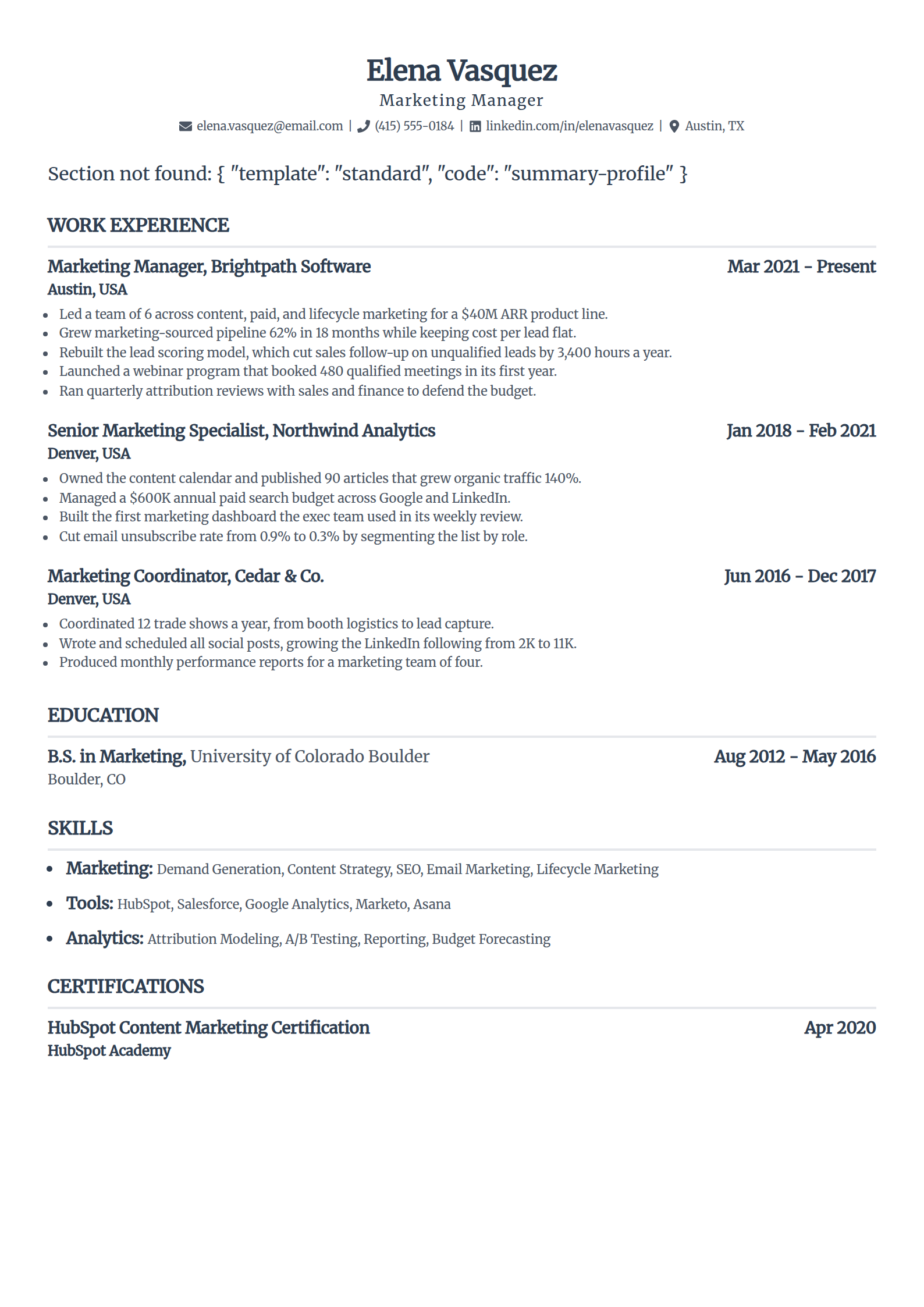
Standard
A centered name and right-aligned dates give a balanced page, and the dates line up so a parser builds your timeline with no false gaps.
Use the Standard template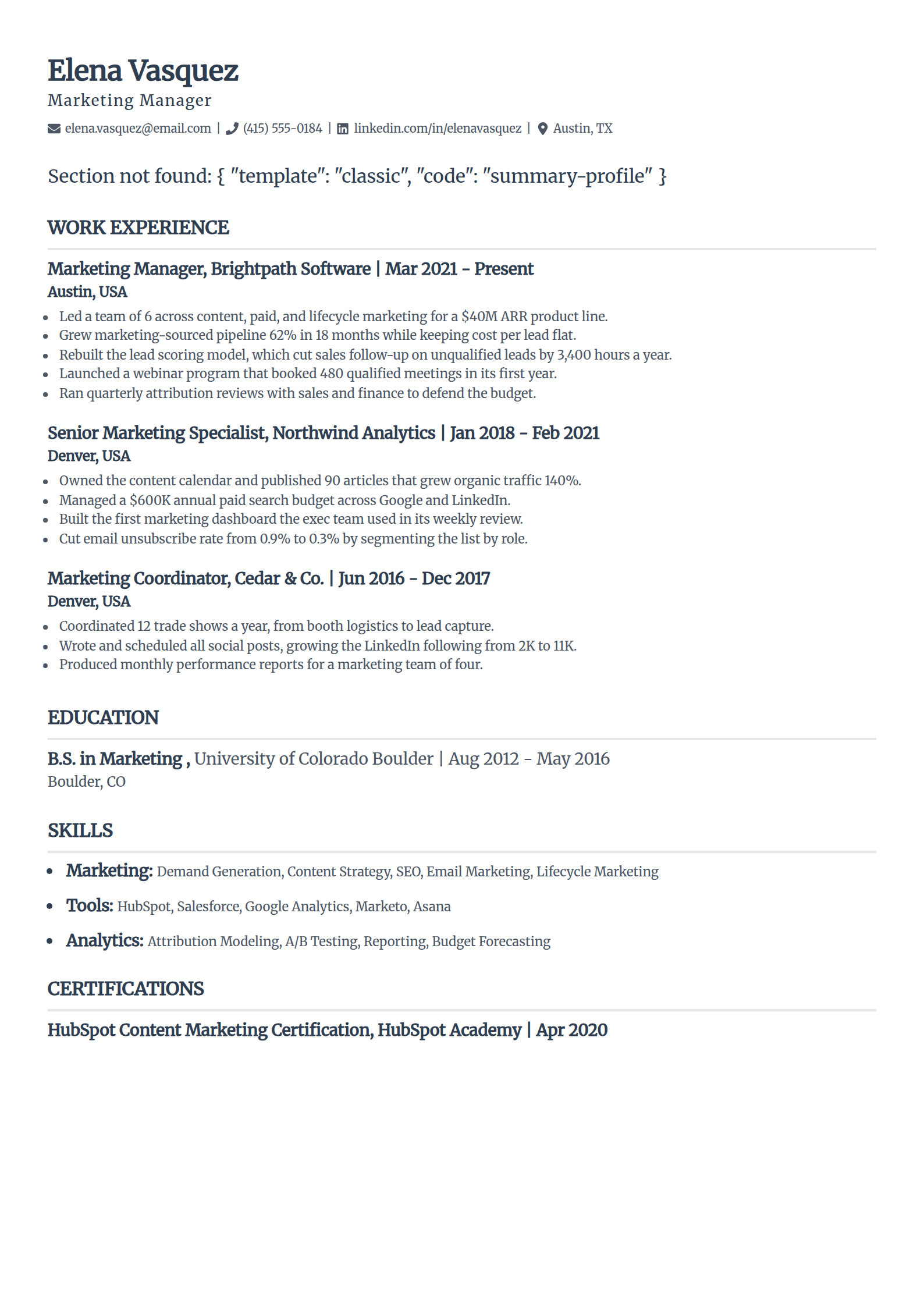
Classic
The layout recruiters have read a thousand times. Nothing on the page asks the parser to guess, which makes it the safest default.
Use the Classic template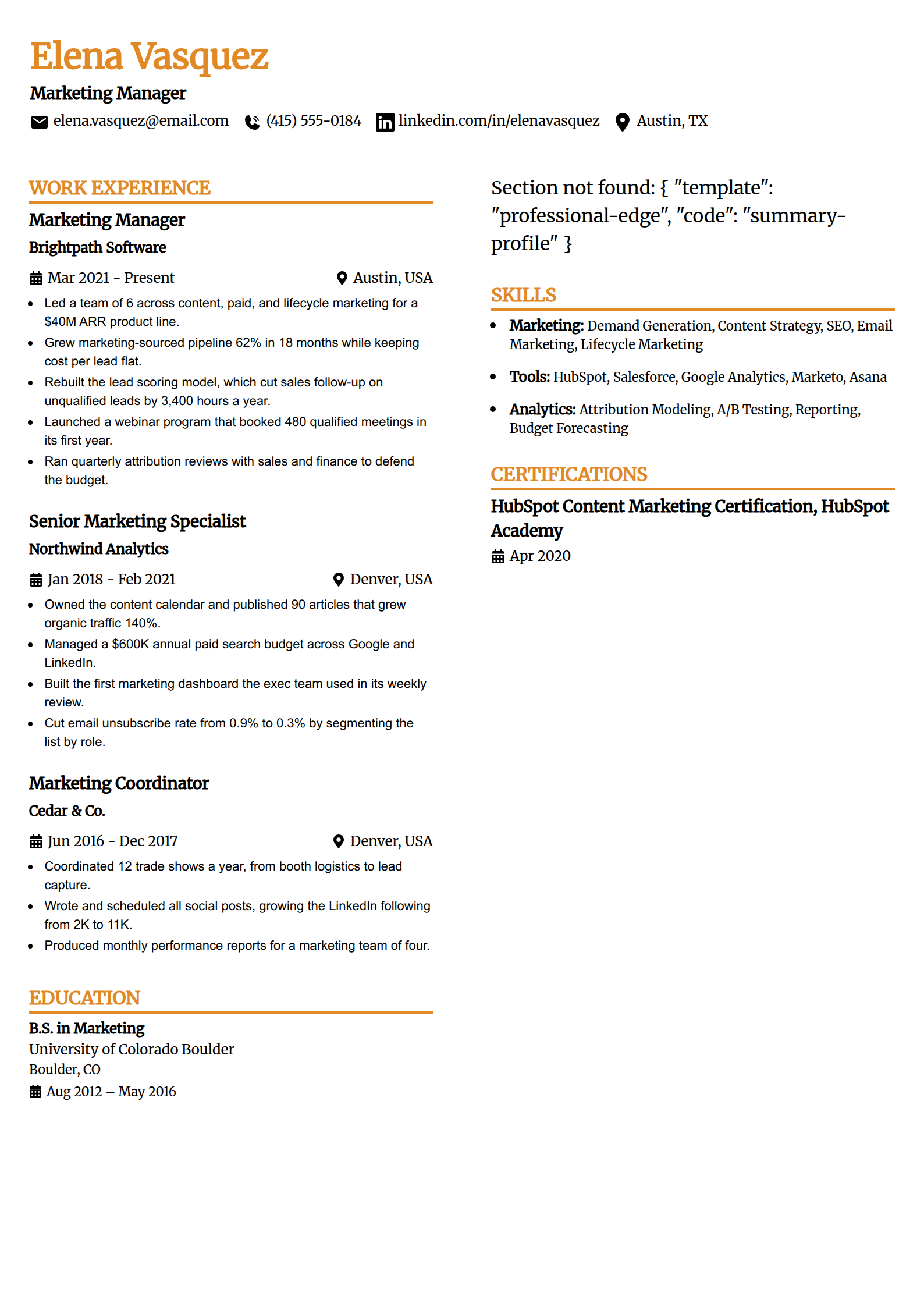
Professional Edge
A confident header and firm section breaks read as senior without a single graphic. Good for manager and lead roles.
Use the Professional Edge template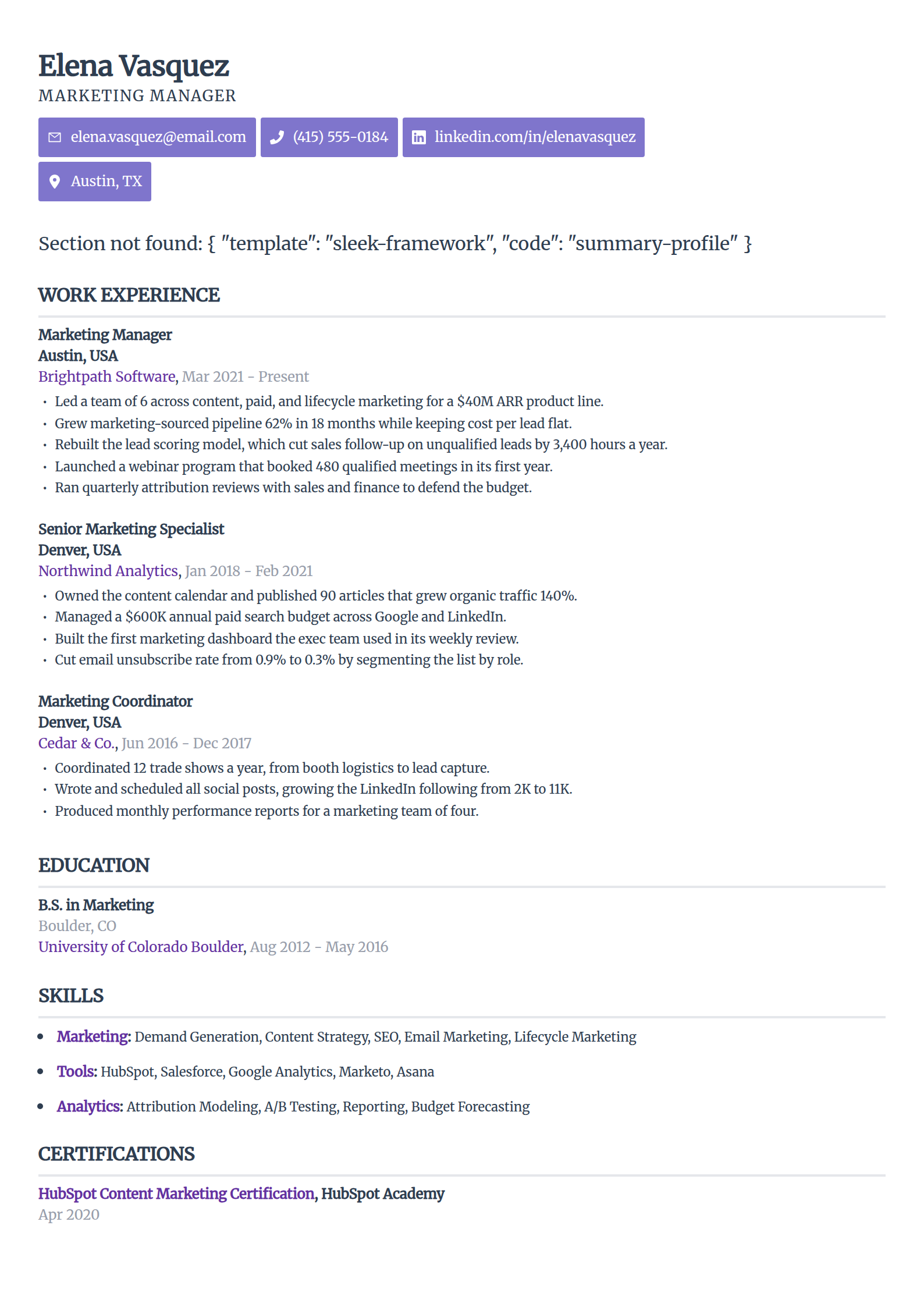
Sleek Framework
The most design-forward look here, still one column of real text. A strong fit for tech and startup roles where a clean page reads as current.
Use the Sleek Framework template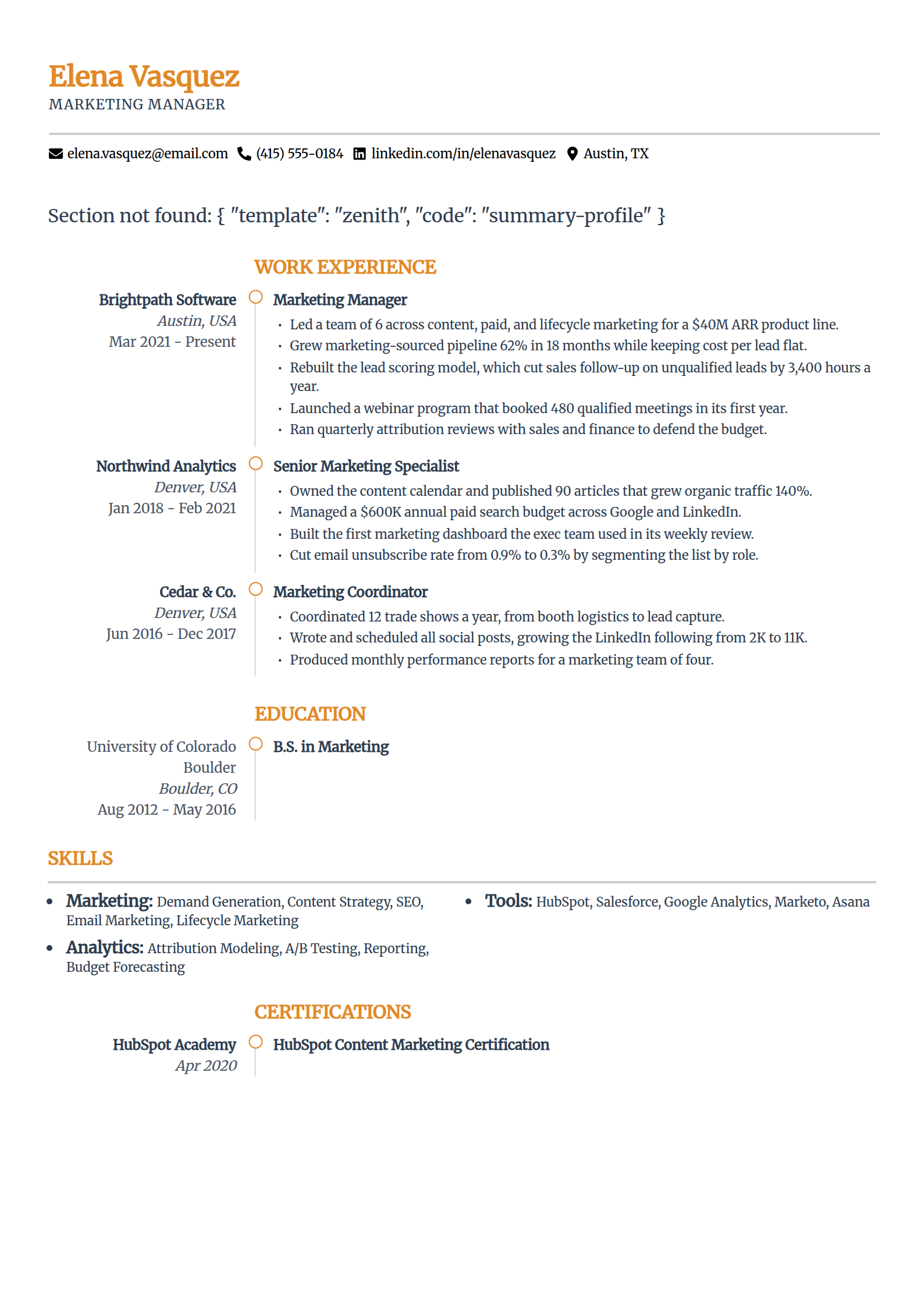
Zenith
An airy hierarchy that leads with your summary, so a strong pitch lands first. The whitespace does the work a sidebar usually does.
Use the Zenith templateSee the full ATS resume template hub
Every template here is free to fill and export as a text-based PDF or DOCX, with nothing to pay at download. The AI writing help and premium designs sit inside the paid builder plans.
Fonts, Sizes, Margins, and Spacing
The layout is the big call. These are the smaller settings that decide whether the page reads clean to both the software and a tired recruiter. Use them as defaults, not rules to agonize over.
Body font size
10 to 12 points. Below 10, some parsers treat the text as noise and a recruiter has to squint. Keep one size across every bullet on the page.
Heading size
14 to 16 points, bold, in the same font as the body. That gives a human a clear hierarchy while the parser still reads plain text, not a graphic.
Fonts that render everywhere
Arial, Calibri, Helvetica, Georgia, Garamond, and Times New Roman all embed and read reliably. An unusual downloaded font can fall back to boxes the parser cannot make sense of.
Margins
Between 0.75 and 1 inch on all four sides. Do not drop below half an inch to cram more in, because text near the edge can get clipped in the parse and cut off in print.
Line and section spacing
Single or 1.15 line spacing, with a clear blank line between sections. Real white space helps the software tell where one block ends and the next begins.
Length
One page for under ten years of experience, two pages past that. Fit the page by cutting the oldest roles, not by shrinking the font or squeezing the margins.
One rule sits above all of these: if the job posting names a file type, send that one. When it doesn't, the choice between a text-based PDF and a DOCX rarely decides anything, and the guide on PDF or Word for ATS settles it by situation.
The Honest Part
Does a Bad Format Get You Rejected?
Almost never directly. An applicant tracking system ranks and filters resumes. It does not delete yours because a heading is the wrong size or a table scrambled a line.
What a bad format does is quieter and just as costly. The parser misreads or drops a section, so your record ranks low and never surfaces when the recruiter searches. You are not rejected. You are unseen.
This matters because plenty of pages sell format as a magic gate, usually with a scary rejection stat attached. The real number worth knowing is from Harvard Business School's Hidden Workers report: more than 90% of employers use software to filter or rank applicants. Filter and rank, not auto-reject. A clean format is how you make sure the ranking is based on your real experience and not a scrambled version of it.
Why Trust This
Written From the Hiring Side
I have sat on the recruiter side of an applicant tracking system and watched a strong candidate rank low because a two-column layout read back as gibberish and their skills section landed inside a job description. The experience was there. The format lost it before I ever ran a search. I now build the tools that show job seekers what that software sees, so they can catch the same thing first.
Who wrote this
Rohith Reddy Jarugu, builder of ats resume checker. Ten years in software hiring, 500+ interviews conducted, now building career tools full time. LinkedIn
Prove the Format Before You Apply
A format looks right until the parser reads it. Check yours the way the software will. All free, no signup.
ATS Resume Parser
FreeUpload your file and see the exact fields and text an ATS extracts. The fastest way to catch a section that reads back scrambled.
Preview my parseATS Resume Checker
FreeGet a 0-100 score and a 30+ check report in under 60 seconds, covering parsing, sections, and content, so you know what to fix.
Check my resumeATS Resume Templates
FreeSingle-column by design, with the section order and settings from this page already handled, so the parsing traps never happen to yours.
Browse templatesResume Keyword Scanner
FreePaste a job posting and see your keyword match rate. Once the format parses clean, this is the half of the ranking you control.
Scan against a jobFree ATS Resume Checker
See How Your Format Parses
Upload your resume and read the exact text a parser pulls from it, then get a 0-100 score and the 30+ check report behind it. Free, no signup, under 60 seconds.
ATS-Friendly Resume Format: FAQs
The questions people ask once a clean-looking resume still gets no replies. Still stuck? Contact us and we'll help.
What is the most ATS-friendly resume format?
A single-column, reverse-chronological layout in a text-based file, with standard section headings and real selectable text. One column keeps the parser reading in order, reverse-chronological gives it a clean dated work history, and standard headings map each section to the right field. That combination parses cleanly in every major applicant tracking system.
What order should the sections be in on an ATS resume?
Contact details, then a professional summary, then work experience in reverse-chronological order, then education, then skills. Contact sits first so the software knows whose resume it is, and the dated work history sits high because that is the section the parser works hardest to map. New graduates can move education above experience while the degree is their strongest point.
What font and size should an ATS-friendly resume use?
A web-safe font at 10 to 12 points for body text and 14 to 16 for headings. Arial, Calibri, Helvetica, Georgia, Garamond, and Times New Roman all read reliably. Avoid decorative, condensed, or script fonts, anything below 10 points, and underlining full lines, which can clip the tails of letters like g, j, and y.
What margins are best for an ATS resume?
Between 0.75 and 1 inch on all sides. Do not go below half an inch, because a parser can clip content that sits too close to the edge and a printer can cut it off. Wider margins also give the page the white space that helps the software separate one section from the next.
Is a PDF or Word document more ATS-friendly?
Both parse well in modern systems as long as the file is real text, not a scanned image. DOCX is the safest default for older software, and a text-based PDF is fine almost everywhere else. If the job posting names a file type, send that one, and always test the finished file before you apply.
Does an ATS-unfriendly format get you auto-rejected?
Almost never directly. An applicant tracking system ranks and filters resumes; it does not delete yours for a formatting mistake. What a bad format does is quieter and just as costly: the parser misreads or drops sections, so your record ranks low and never surfaces when the recruiter searches. You are not rejected, you are unseen, which is why the format is worth getting right.
How do I check that my resume format is ATS-friendly?
Read it the way the software does. Upload the finished file to a free ATS parser and look at what comes back: the contact fields it found, the headings it recognized, and your text in reading order. If a section returns empty or scrambled there, it will read that way inside a real ATS, and you can fix it before a recruiter ever sees it.
Keep Reading
ATS Resume Format
The single-column, reverse-chronological layout an ATS parses cleanly, shown next to one it scrambles, with an element-by-element checklist and a free way to test your file.
Read the guideWhat Is an ATS-Friendly Resume?
The five criteria that make a resume ATS-friendly, why a clean format does not guarantee a pass, and two quick tests to check your own file before you apply.
Read the guide