Simple ATS Templates
The Simple Resume Template That Parses Because It Is Simple
A minimal layout is not a lesser one. With nothing on the page for the software to misread, a simple template reads line for line, which is exactly what a first application needs. Pick one below, then prove the finished file.
Key Takeaways
A simple ATS resume template is a single-column layout of real text with nothing on the page a parser could mistake for a graphic. Minimal styling is the feature, not a shortfall.
Simple is not the same as basic. Deliberate spacing and clear headings read as confident; missing headings and thin content stretched to fill a page read as careless.
A minimal template is the best fit for a shorter history: students, first internships, and career changers, where clean and skills-forward beats a busy design.
A clean template removes the parsing penalty. It does not guarantee a pass. Run the finished file through the free checker before you apply.
- Resumes Analyzed
- 50K+
- Average ATS Score Increase
- 25%
- ATS Checks Per Full Report
- 30+
- From Upload to ATS Score
- <60s
What Is a Simple ATS Resume Template?
It is a single-column layout of real text with standard headings and plain bullets, and nothing else. No photo, no icons, no skill bars, no color blocks a parser has to work around.
The simplicity is the point. Every element you strip out is one less thing the software can misread or drop, so what is left comes through the parser in the order you wrote it.
That is the whole idea behind an ATS-friendly format, shown here in its plainest form. Pick a template below, then hold it against the checks further down.
Simple ATS Templates
Minimal Templates That Parse Line for Line
Each one is single-column, standard-headed, and built from real text, so there is nothing on the page for a parser to trip on. They read cleanly in Workday, Greenhouse, Lever, Taleo, and iCIMS. Pick the one whose spacing you like, because they all stay simple where it counts.
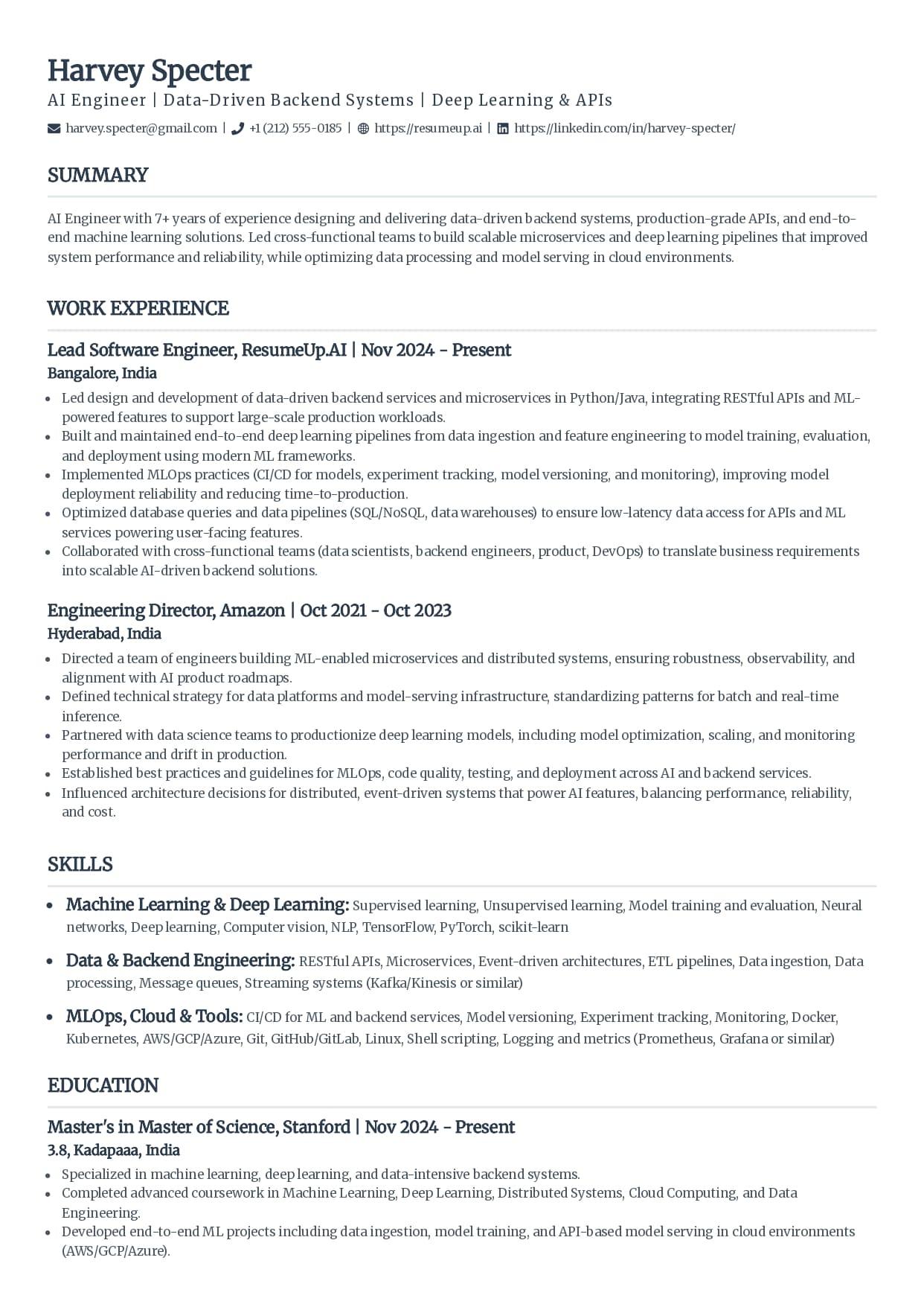
Classic
The single-column standard recruiters see every day.
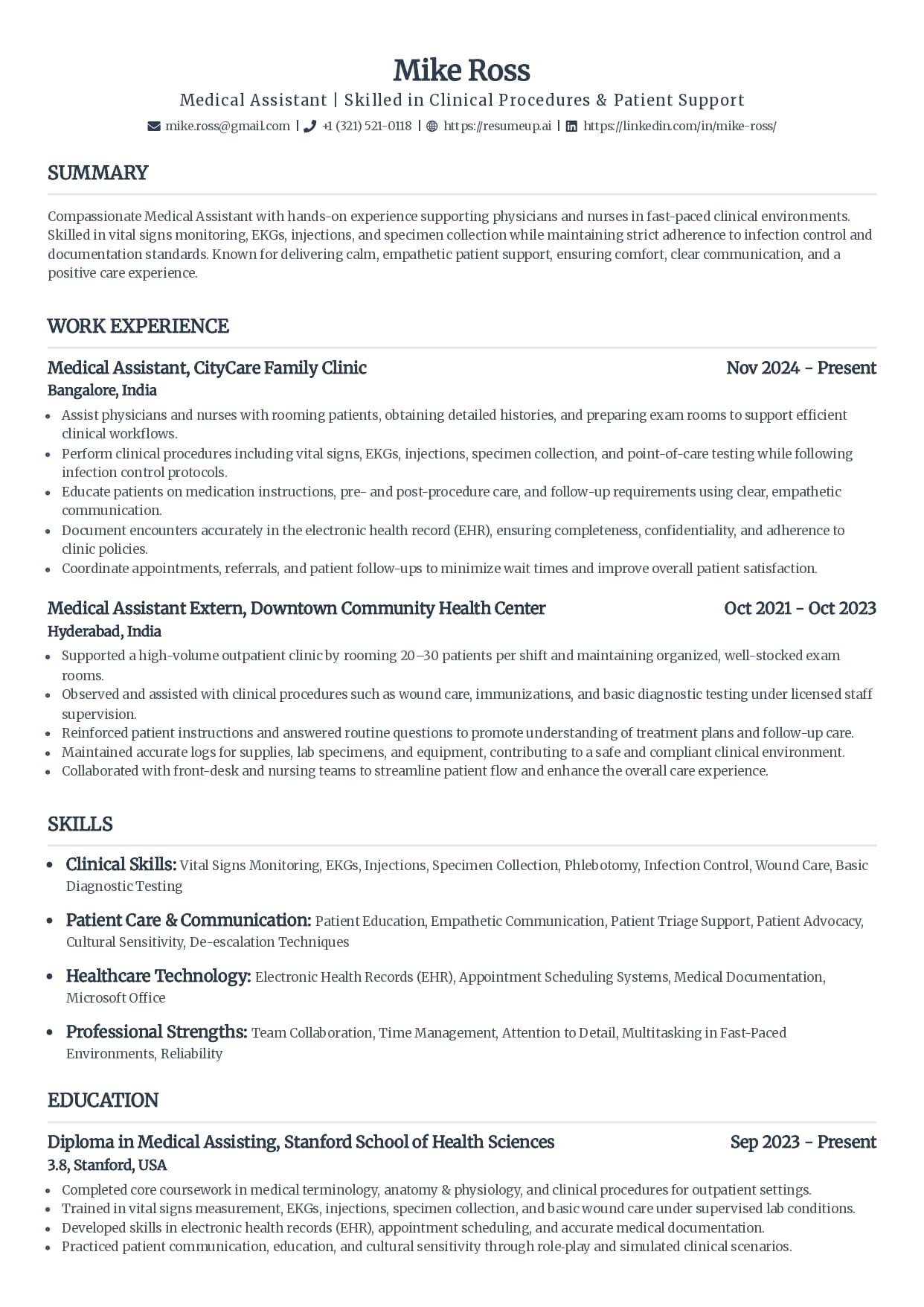
Standard
Clean serif headings with clear section rules.
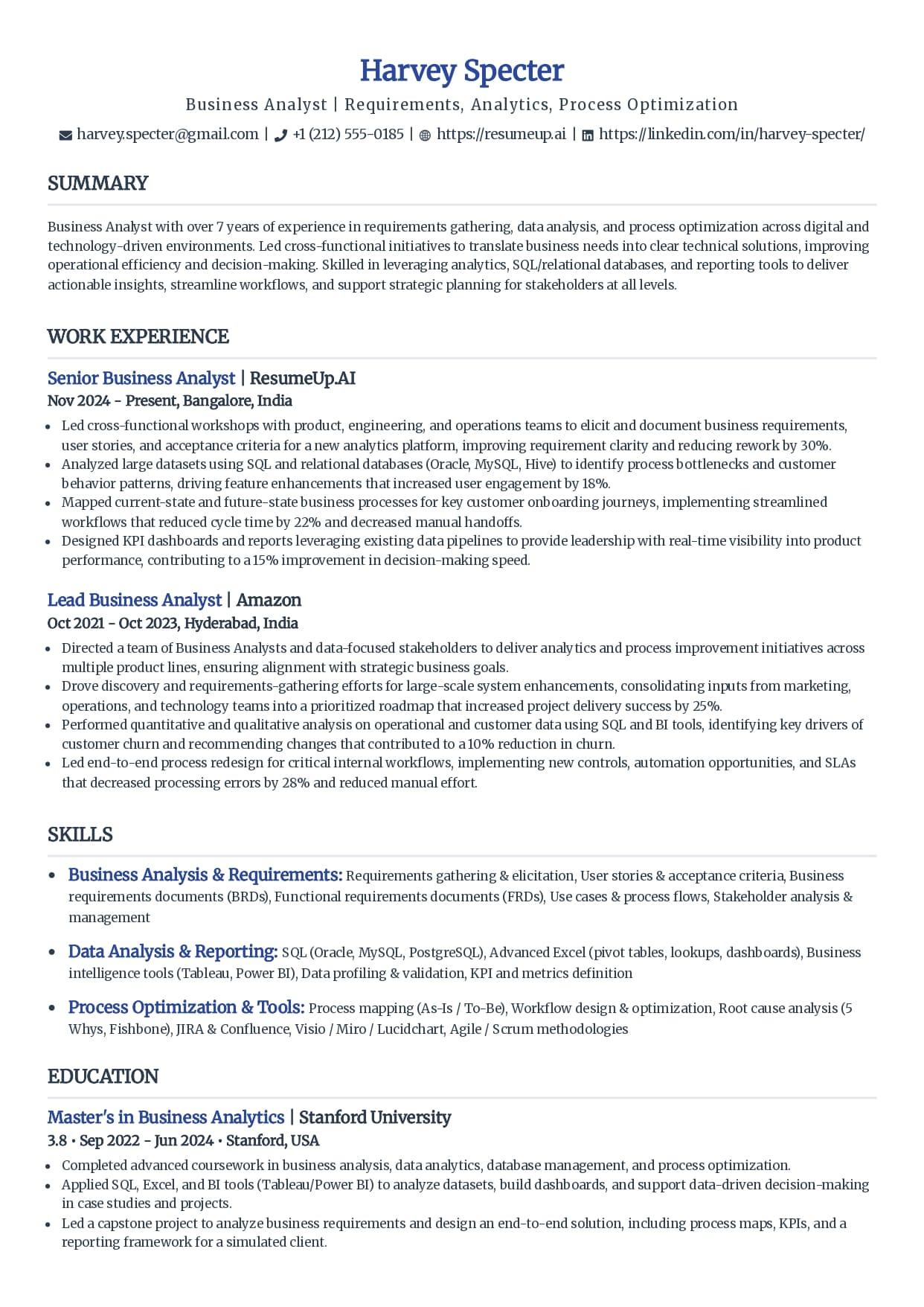
Simple
Minimal styling that keeps every line readable.
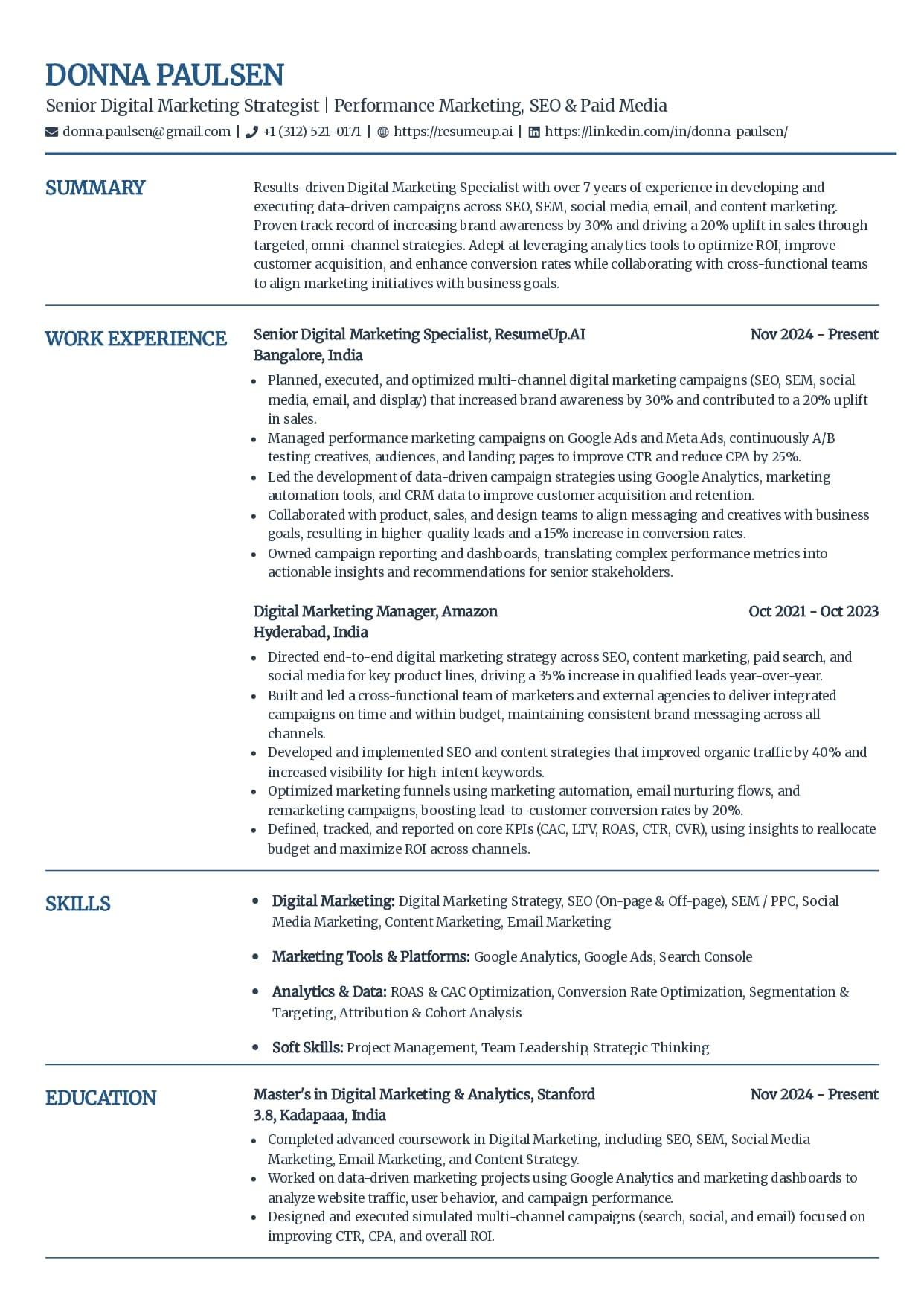
Craft
A subtle touch of color without breaking parsing.
See why these templates parse cleanly
These layouts are free to use and export as a text-based PDF or DOCX, with no fee at download. The AI writing help and premium templates come with the builder plans; using and exporting these simple layouts costs nothing.
Simple Is the Point, Not a Downside
People worry a simple resume looks like they did not try. The look recruiters actually dislike is not simple, it is careless. Those are two different pages.
Simple, and deliberate
- One column of real text, so the parser reads top to bottom in the order you wrote it.
- Standard headings and plain bullets, with clear spacing doing the work decoration usually does.
- Nothing on the page that could be read as a graphic: no photo, no icons, no skill bars.
- A clean hierarchy your name, roles, and dates sit inside, so a human skim lands in the right place too.
Basic, and careless
- One block of text with no headings, so the parser cannot tell where a section starts.
- Inconsistent dates and titles the software cannot line up into a work history.
- Thin content stretched to fill a page, which a recruiter reads as nothing to say.
- A default word-processor look with no spacing or rhythm, which reads as no effort.
What Makes These Templates Parse Cleanly
Six things every template on this page does, and every good simple template should. Hold any layout you downloaded elsewhere against them before you build on it.
One column, nothing beside it
The whole page runs as a single stack. Put anything in a side rail and the parser reads left to right across both, splicing a skill into the middle of a job.
Words you can highlight
Run the cursor across the page. Anything that refuses to select, a name or a heading, went in as a picture, and a picture reads back as nothing.
Ordinary heading words
Summary, Experience, Education, Skills. Plain labels are the ones the software already knows, so each block drops into the field it belongs to.
Contact line inside the page
Email, phone, and city sit in the first lines of the body. Parked up in the file's header strip, they often never reach the contact fields at all.
No photo, no icons, no bars
Every graphic is a blank to the parser. Strip them and you lose nothing it could read, which is the whole move a minimal layout is making.
Saved as text, not a picture of text
Export to a PDF or DOCX that keeps the words selectable. An image out of a design tool, or a scan, hands the software an empty page.
For the full gallery with a per-template breakdown of who each one fits, see the ATS resume templates hub, and for the honest version of the same idea, the free ATS templates guide.
Free ATS Resume Checker
See What a Parser Reads From It
A template is a good start and a guess until you test the file. Upload your resume for a 0-100 score and the 30-plus checks behind it in under 60 seconds, and see exactly what the software pulls from the page.
Best Fit: Entry-Level, Students, and Career Changers
A minimal template suits a shorter or changing history better than a busy one. When you have less to show, the page has to make every real detail easy to find.
Students and new graduates
A shorter history reads best clean and education-forward. Plenty of white space beats visual bulk added to fill a page.
First internships and entry-level roles
The reader wants your skills and coursework fast. A minimal layout puts them first with nothing in the way.
Career changers
A simple, skills-forward page keeps the focus on what transfers, instead of a busy design that fights your story.
Anyone applying through a portal
When you cannot see the parser behind the upload, the safest bet is the layout with the least for it to trip on.
A short history is not a weak one. It just needs the words that match the job, which is where the free keyword scanner helps you find the terms a posting wants before you apply.
Does a Simple Template Guarantee It Passes?
No. A simple template clears the formatting penalty. It does not decide whether you fit the job, and it is worth saying so where most template pages let you assume the opposite.
An applicant tracking system almost never bins a resume for its layout. It parses what it can and ranks you, and a page it struggles to read simply ranks lower, where a recruiter does not scroll.
That ranking is what most employers lean on to make a first cut. In Harvard Business School's Hidden Workers study with Accenture in 2021, more than 90 percent of surveyed employers using this software relied on it to filter or rank applicants. A clean template keeps you in that ranking instead of buried under it.
So start simple to remove the penalty. Then win on the two things that move your rank: keywords that match the exact posting, and real detail that fits the role. The template gets you read. Your content gets you shortlisted.
How to Fill a Simple Template Without Adding Clutter
The usual way people undo a clean template is by trying to make it busier. Five moves keep it simple where it matters and full where it counts.
Do not split it to fit more
The layout arrives as one stack for a reason. A sidebar for skills, or a second column to squeeze in another line, is the quickest way to break the parse. If the page runs long, trim words, never the structure.
Resist the urge to decorate
Simple is doing the work. Adding an icon set, a photo, or a color block undoes the exact thing that makes the file parse. Leave it plain.
Lead with what you have
With a short history, put education and a skills section high on the page. Fill the space with real detail, not stretched margins and big fonts.
Bring in the job's own words
The layout gets you read; your wording decides your rank. Lift the exact skills and terms from the posting in front of you and set them into your skills line and your most recent bullets.
Prove the file, not just the template
A clean template is a promise until you test it. Save a text-based PDF or DOCX, run it through the free checker, and read back what actually came out the other side.
Why Trust This
Written From the Hiring Side
I have read stacks of entry-level resumes inside an applicant tracking system, and the ones that came through clean were almost always the plain ones. A student who used a busy two-column template had their skills spliced into their coursework by the parser, while the classmate with a simple single-column page read perfectly. Simple was not the weaker choice. It was the one that survived the upload, and the six checks on this page are what I look for before trusting any template with an application.
Who wrote this
Rohith Reddy Jarugu, builder of ats resume checker. Ten years in software hiring, 500+ interviews conducted, now building career tools full time. LinkedIn
A Template Starts It. A File Proves It.
A simple layout removes the parsing traps. It cannot check your export, your keywords, or what the software reads. You can, in a minute, before you apply. No signup.
ATS Resume Checker
Upload the finished resume for a 0-100 score and a 30+ check report in under 60 seconds. This is the proof a template cannot give you.
Check my resumeATS Resume Parser
See the raw text a parser pulls from your file, section by section, so you catch anything the layout dropped before it costs you.
Preview the parseResume Keyword Scanner
Paste a posting and your resume to see the exact terms you are missing, so a short history still matches the job.
Scan for keywordsATS Resume Templates Hub
The same single-column templates with a per-template breakdown of who each one fits and exactly why it parses cleanly.
See the full hubFree ATS Resume Checker
Built a Simple Resume? Prove It Reads.
A clean layout gets you most of the way. The free checker reads the finished file the way an ATS does and shows the 30-plus checks behind your score, in under 60 seconds.
Simple ATS Resume Template: FAQs
The questions people ask before trusting a plain template with a real application. Still stuck? Contact us and we'll help.
What is a simple ATS resume template?
It is a single-column layout with standard headings, plain bullets, and real selectable text, and no photo, icons, tables, or graphics a parser can misread. Simple here is functional, not plain for its own sake. Minimal styling means there is nothing on the page the software could mistake for an image or read out of order, so it comes through the parser line for line.
Is a simple resume too plain or unprofessional?
No. A clean, well-spaced resume reads as confident, not empty, as long as the content is strong. The look recruiters find unprofessional is not simple, it is careless: no headings, mismatched dates, thin content stretched across a page. A deliberate minimalist layout with clear hierarchy and real detail is the opposite of that, and it is easier for both the software and a human to read fast.
Do ATS systems automatically reject simple resumes?
An applicant tracking system rarely auto-rejects any resume, simple or not. It parses what you upload, then ranks and filters it for a recruiter to review. A simple template helps because it parses cleanly, so your skills and history land in the right fields and you sort where you should. The real automatic rejections come from knockout questions a human sets, like a required certification, not from a plain layout.
Are simple templates good for entry-level or students with no experience?
Yes, they are the best fit for it. A shorter history reads best on a clean, education-forward page where your skills and coursework come first and nothing competes for attention. A busy template tempts you to pad with visual bulk, which reads as thin. A minimal layout lets a small amount of real, specific detail carry the page, which is exactly what a first application needs.
What font and format should a simple ATS resume use?
Use a common web-safe font like Arial, Calibri, or Georgia at 10 to 12 point, and save the file as a text-based PDF or DOCX. Keep contact details in the body of the page as plain text, not in the document header. Avoid exporting from a design tool as an image, since a picture of text reads back blank to a parser. Web-safe fonts and a clean export are what keep every word selectable.
Does a simple template guarantee my resume passes?
No, and be wary of any download that says it will. A simple template clears the formatting traps that break parsing, so you get read and fairly ranked. Reaching a recruiter still comes down to your keywords matching the posting and your experience fitting the role. An ATS ranks and filters; it rarely auto-rejects on layout. The template lifts the penalty; testing the finished file is what proves it.
Keep Reading
Free ATS Resume Templates: The Ones Worth Using
Free single-column templates that parse cleanly, an element-by-element safe-vs-risky checklist, and how to spot a fake ATS-friendly template before you build on it.
Read the guideATS-Compliant Resume Template, With a Checklist
Single-column templates that pass an eight-point compliance checklist, how to fill one without breaking it, and how to prove compliance on the finished file before you apply.
Read the guide